Monday, November 16, 2015

Thursday, November 12, 2015
Shakespeare 1
In Blake’s letter to Flaxman he wrote:
“Now my lot in the Heavens is this; Milton lovd me in childhood &
shewd me his face
Ezra came with Isaiah the Prophet, but Shakespeare in riper years
gave me his hand
Paracelsus & Behmen appeard to me. terrors appeard in the Heavens
above
(Erdman 707)
Which seems to mean that Shakespeare meant a great deal to Blake
as a source for his ideas, poetry and pictures
Here are some of the areas in Shakespeare that he used.
In particular Blake produced many pictures and images involving
Shakespeare’s works:
Look for example to this picture of King Lear
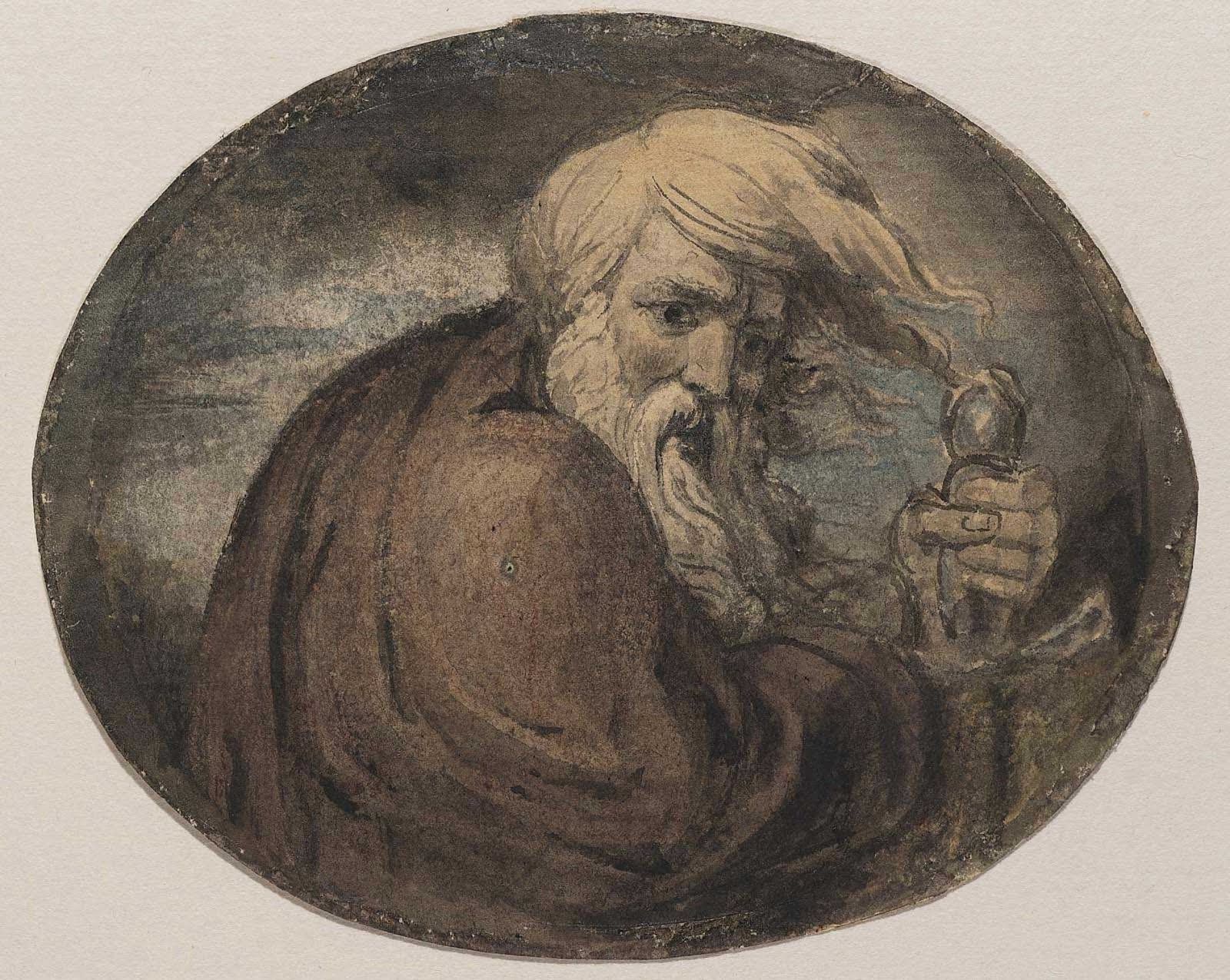
In a letter to Hayley dated 1804 Blake wrote about some pictures that he hoped to
have printed including “ Lear & Cordelia. belonging to Mr Walker”
and “,
………………………..an incomparable production, which
Mr. W. bought for five shillings at a broker's shop; it is about
five feet by four, and exquisite for expression; indeed, it is
most pathetic; the heads of Lear and Cordelia can never be
surpassed”
shewd me his face
Ezra came with Isaiah the Prophet, but Shakespeare in riper years
gave me his hand
Paracelsus & Behmen appeard to me. terrors appeard in the Heavens
above
(Erdman 707)
………………………..an incomparable production, which
Mr. W. bought for five shillings at a broker's shop; it is about
five feet by four, and exquisite for expression; indeed, it is
most pathetic; the heads of Lear and Cordelia can never be
surpassed”
Monday, November 9, 2015
Tuesday, October 27, 2015
Shakespeare 0
Shakespeare.
October 30
Shakespeare 0
 |
File:William Blake - William Shakespeare - Manchester City Gallery - Tempera on canvas c 1800.jpg
From Wikimedia Commons, the free media repository
English: Shakespeare by William Blake 1800
Title: William Shakespeare
Object Name: painting
Artist/Maker: Blake, William Role in production: artist Place of Creation: Europe, United Kingdom, England Date: 1800-1803 (circa)
Medium / Material: tempera
Support: canvas
Technique: tempera on canvas
Description: A head portrait of William Shakespeare. He is depicted here with a faint smile, wearing an Elizabethan collar, surrounded by his own characters. To the right of the figurehead, Macbeth stands beside the three witches and to his left, Hamlet observes a ghostly crowned figure. A wreath of rose leaves frames his head whilst ferns fringe and decorate the top corners, in white on the right and black on the left.
|
Monday, October 26, 2015
F6 and windows key
<a href="Sailing_Trips/slow_boat.html">Slow Boat to Lower Broad Creek</a>
The best way to disable the touchpad is by using (on the keyboard) F6.
Windows logo key (also known as Windows key, start key, logo key, flag key, super key, command key or flag) is a keyboard key which was originally introduced on the Microsoft Natural keyboard before the release of Windows 95. This key became a standard key on PC keyboards. Tapping this key invokes the operating system's start menu, if it has one. In Windows, Ctrl+Esc performs the same function, in case the keyboard lacks this key.
Historically, the addition of two Windows keys and a menu
The best way to disable the touchpad is by using (on the keyboard) F6.
From Wikipedia, the free encyclopedia
For the Windows product key, see Microsoft Product Activation.


Historically, the addition of two Windows keys and a menu
Tuesday, October 20, 2015
best-help
This is material used to enable various problems in Microsoft windows 10:
Start windows 10
select round circle
my running lesson!
1. need volume control to get tutorials etc.
In right hand bottom is a small square: 'SHOW hidden icons'.
Click on that and near the bottom of that is a volume icon.
I above doesn't work go to mixer (ask me anything)
Now you can ask for help with 'aSk me anything'.
2. To get 'Action Center' swish in from the right side.
3. One Note works directly.
4. At Chapter two, page 21:
Click the button in the screens bottom left corner:
Wow!
At ask me anything: my running lesson
2. Ctrl Alt Del will bring forth task manager.
4. The window seems to alternate between the desktop and the start menu.
5. Get a list of active apps:
Hit keyboard and tab, lists them.
6. I did a ctrl F6 to make the cursor stay where it's supposed to
7. the big icon in lower left points to very elaborate wordpad.
Start windows 10
select round circle
my running lesson!
1. need volume control to get tutorials etc.
In right hand bottom is a small square: 'SHOW hidden icons'.
Click on that and near the bottom of that is a volume icon.
I above doesn't work go to mixer (ask me anything)
Now you can ask for help with 'aSk me anything'.
2. To get 'Action Center' swish in from the right side.
3. One Note works directly.
4. At Chapter two, page 21:
Click the button in the screens bottom left corner:
Wow!
At ask me anything: my running lesson
2. Ctrl Alt Del will bring forth task manager.
4. The window seems to alternate between the desktop and the start menu.
5. Get a list of active apps:
Hit keyboard and tab, lists them.
6. I did a ctrl F6 to make the cursor stay where it's supposed to
7. the big icon in lower left points to very elaborate wordpad.
Subscribe to:
Posts (Atom)